
- DATE:
- AUTHOR:
- The AIQ team
AIQ Product Updates for 7/28/2026
 New Features
Menu Product Tags
Product tags, previously available for backend product management, are now supported on customer-facing menus. When enabled, product detail pages display the tags associated with each product, and customers can filter the menu by tag to find products more easily.
To enable this feature, go to Store Settings > Products and turn on Show Product Tags.
Kiosk Modal Redesign
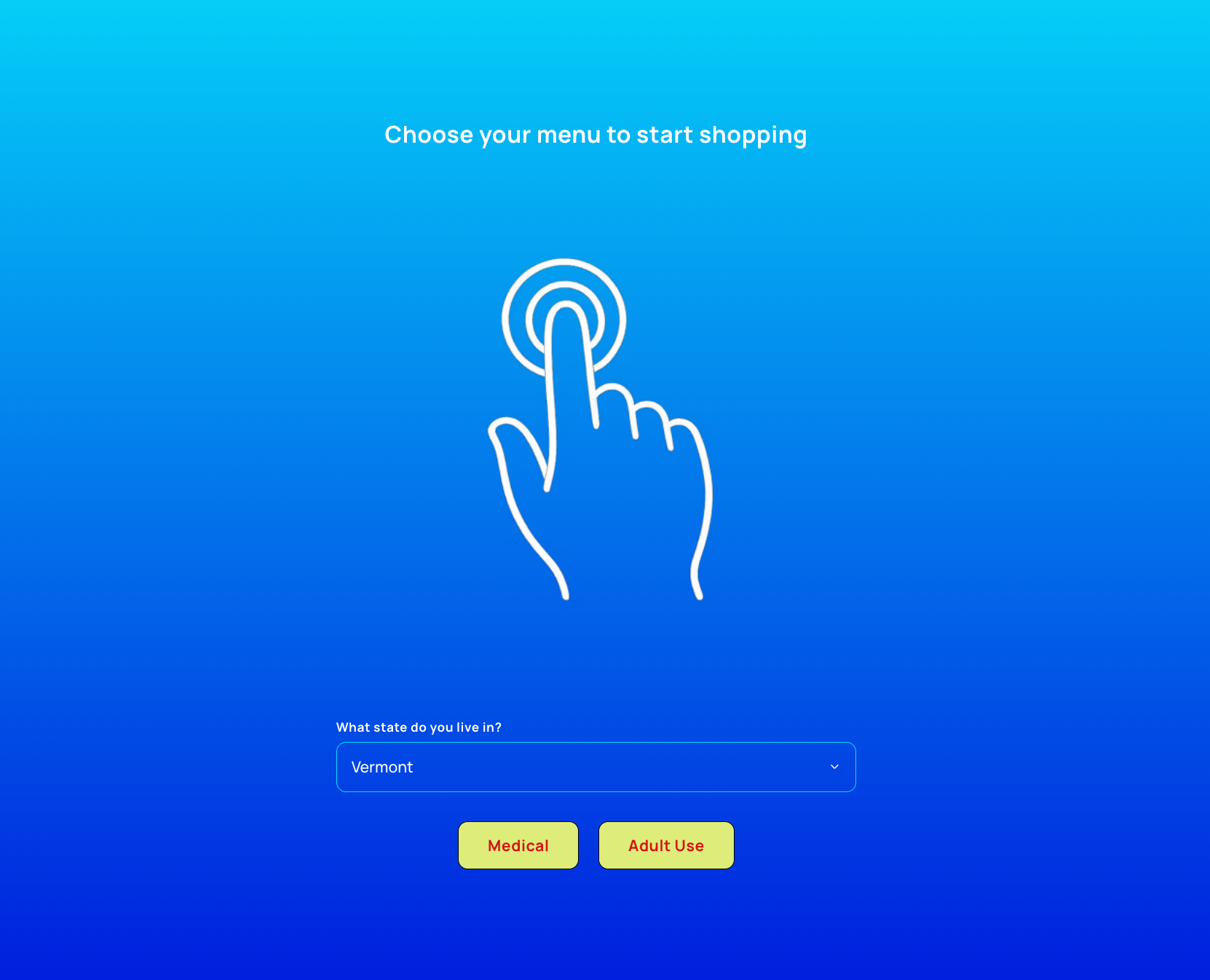
The Kiosk settings page has been expanded with new tools that give stores greater control over the look and feel of their in-store kiosk experience.
Customizations
Stores can now tailor the kiosk's start screen to match their preferred customer flow and visual style, including a choice between Modal or Full Screen layouts, the option to toggle the store logo on or off, a custom header message, and a custom start screen image (a width of 540px is recommended for best results).
Kiosk Branding
A new branding suite lets stores fine-tune the kiosk's visual identity independently from their default store branding, or inherit those defaults with a single click. The Background setting supports solid colors as well as linear and radial gradients, with full control over start and end colors and gradient direction. Text can be styled with distinct primary and secondary colors, while Button settings allow stores to edit Rec and Med button labels along with background, text, and border colors and border radius. Form Fields can likewise be customized with their own border color and radius, giving every input on the kiosk a consistent, on-brand appearance.
Together, these updates make it easier for stores to create a cohesive, branded kiosk experience.
Rounding Feature
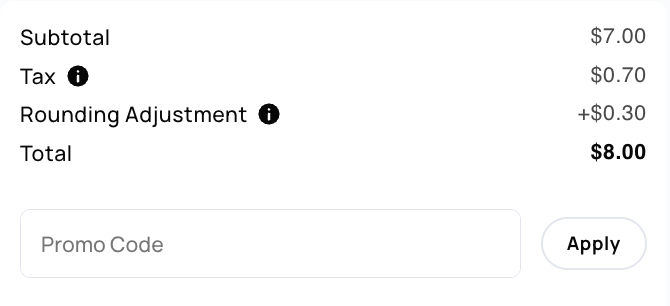
AIQ Ecommerce now supports flexible rounding on customer order totals. To configure, navigate to Store Settings > Orders > Rounding and enable the feature. Once enabled, the following configuration options become available:
Rounding Direction: Round up, round down, or round to the nearest value.
Round To: Choose the denomination to round to — nickel, dime, quarter, or dollar.
At checkout, customer totals are automatically rounded based on your configured settings. To keep customers informed, a breakdown of the rounding adjustment is displayed, along with a tooltip explaining how the total was calculated — for example: "Final total rounded up to the nearest $1.00. Taxes are calculated before rounding."
 Optimizations
[Ecom] Offers: Added time selections to Start and End Date fields to allow for more specific offers scheduling.
 Learn More
[Ecom] Offers: Enabled offers now display by default, with an option to filter in disabled offers via the Status filter. Archived (previously deleted) offers can now be found and unarchived directly from the page.
Learn More[Ecom] Customizable order paused message — Stores can now customize the banner shoppers see when ordering is paused for the day. Set your own message in Day Settings, or leave it blank to keep the default "We are not currently accepting orders."
 Integrations
[Ecom] Vector Payments: Canadian dispensaries can now accept credit card payments directly through AIQ Ecommerce with a new integration for Vector Payments. Powered by Vector's Payroc embedded payments, this integration gives Canadian merchants a seamless, built-in way to process credit card transactions at checkout.
[Ecom] Dutchie Offer Syncing: Added an Auto-enable synced Offers setting for Dutchie — when enabled, offers synced from Dutchie will automatically be enabled and disabled based on their scheduled Start and End Date.
Learn More[Ecom] Dutchie Offer Syncing: Discounts synced from Dutchie now carry over their product tag restrictions, so offers limited to (or excluding) specific tags apply to the right products automatically.
[Ecom] Flourish Labs: Product potency now syncs from Flourish's Potency Summary using each item's primary active lab result. Edibles, beverages, tinctures, and topicals display cannabinoids in mg per package, while flower, pre-rolls, concentrates, and vapes display percentages.
Learn More[Ecom] Cova: hero shot used as primary image — Products synced from Cova now display the Cova Hero Shot as their main menu image, with remaining images as secondary photos.
 Bugs
Bugs
[Audiences] Fixed an issue where users couldn't select a start or end time for multipliers
[Ecom] Offers: Fixed an issue where sale tags were not visible on products.
[Ecom] COVA: Fixed an issue where unit
Milligramswas not being mapped tomg