
- DATE:
- AUTHOR:
- The AIQ team
AIQ Product Updates for May 27th, 2026
 New Features
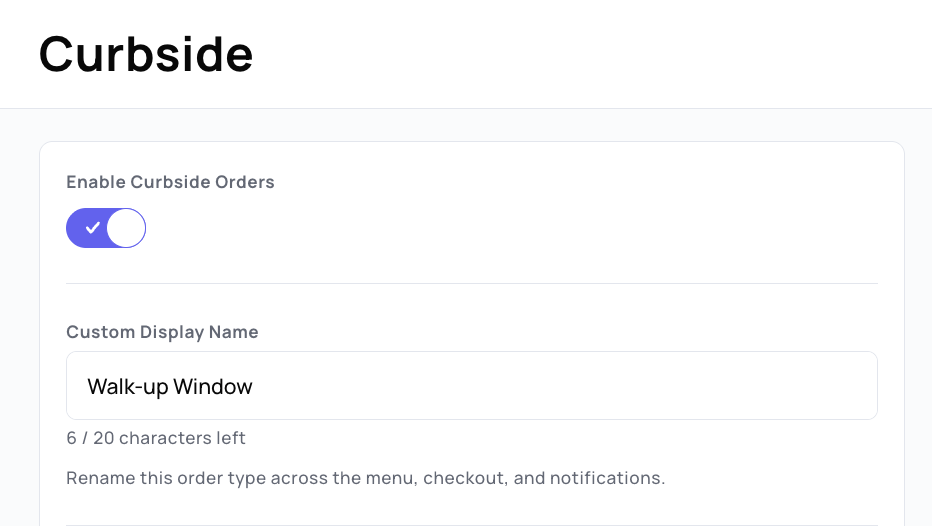
Custom Order Type Names
Rename your order types to match how you actually talk about them. Change the default name on any order type and it updates everywhere — your menu and all email and text notifications.
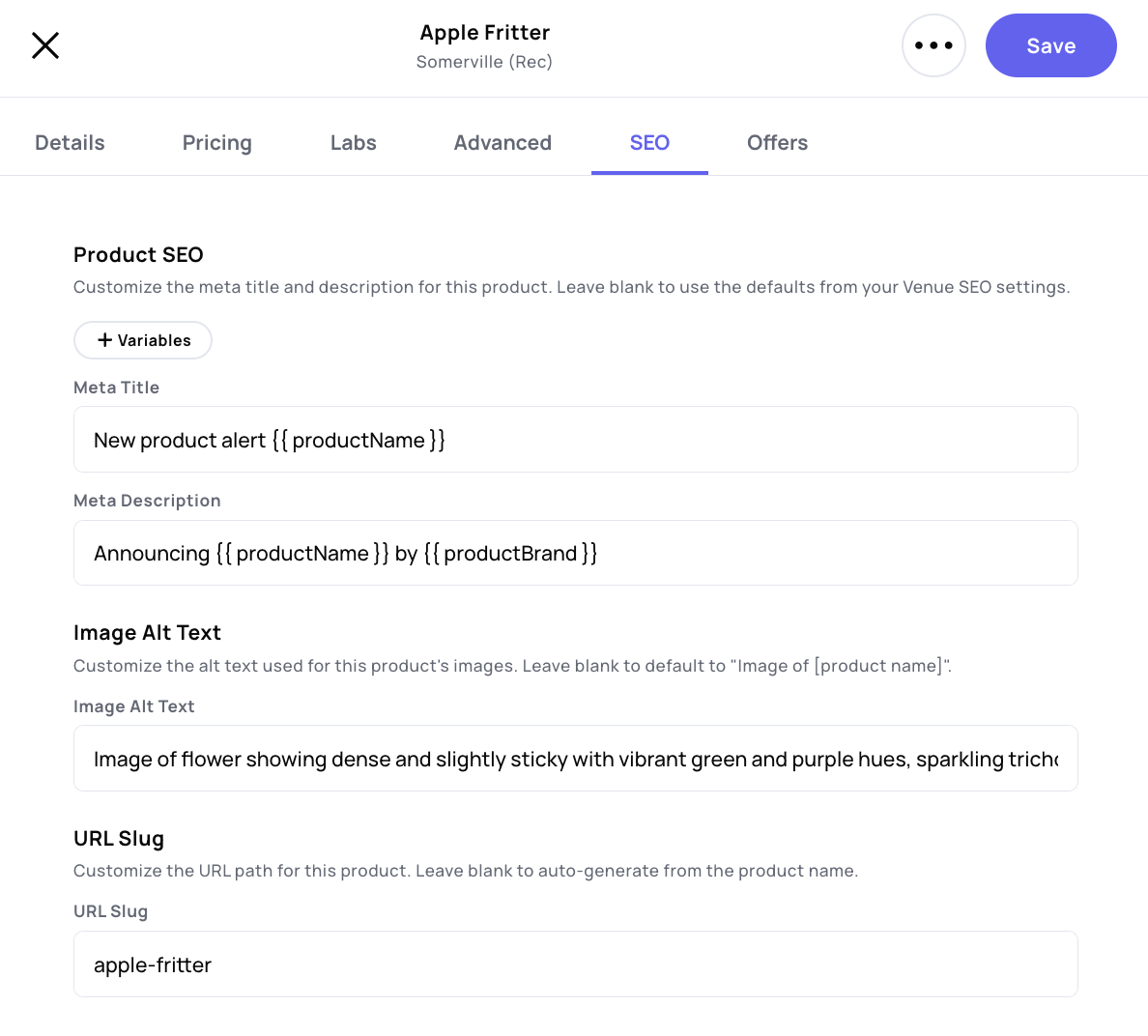
Product Level SEO
Take control of SEO at the product level. On top of the default meta titles and descriptions you set for all Product Detail Pages, you can now override the meta title, description, image alt text, and slug on any individual product. Leave a field blank and it falls back to your default configuration.
 Optimizations
[Ecom] Curbside/Drive-Through: Curbside and Drive-Through orders now include customizable Arrival Forms. Enable the form on your checkout page and tailor the main message, placeholder text, and the success message customers see after confirming they've arrived.
[Ecom] Labs: When a product's lab results come back as zero or empty, we'll now hide those values from the menu instead of displaying them.
[Ecom] Offers: You can now sort and filter offers on the Offers page of your menu. We've also added a new setting to the built-in Offers category that lets you display offer tiles on your homepage in addition to the Offers page.
[Marketing] Conversions: Get more precise about what counts as a conversion. New Product Filters in Conversion Tracking let you require specific brands, categories, SKUs, or product names to be purchased before a sale counts toward your campaign. Edit this in the Conversion Tracking section of any campaign.
[Marketing] Flows - New Members: We've added a "New Members Only" toggle to flow triggers. When enabled, only contacts who match the trigger after your specified date will be processed. Existing audience members are snapshotted at that time and permanently excluded from the flow.
[Marketing] Flows - Node scheduling window: Take control of when flow messages go out. Non-SMS messages used to send the moment a customer advanced to a messaging node, which could mean overnight delivery when sales data came in after hours. Each messaging node now has a setting to define an acceptable send window for your flow messages.
[Loyalty] FIFO: See exactly when loyalty points will expire. Based on your FIFO expiration settings, expiration dates now appear in the persona history table and on the event details page.
[Audiences] Traits: Two new audience traits make it easier to target based on A/B test engagement. "Received msg from Variant ID" and "Opened msg from Variant ID" let you build audiences around who received or opened a message from a specific variant. Find them in the trait selector.
 Integrations
CanPay: Accept cashless bank payments with CanPay. AIQ Ecommerce now integrates directly with CanPay, letting your customers pay straight from their bank account at checkout.
When a customer selects CanPay, a secure payment session is created with the full order total — including tip and delivery fees — and the customer authorizes the payment through the CanPay widget. Payments are authorized at order placement but only collected when your team marks the order as closed, so you can adjust the order from the CanPay dashboard before finalizing payment. Cancelled orders automatically void the authorization.
Ready to get started? Reach out to CanPay for your App Key and API Secret.
 Bugs
Bugs
[Ecom] Fixed an issue where the filter count wasn't updating correctly based on the page the customer was on.
[Marketing] Fixed a bug where email clients like Apple Mail were pulling body content into the inbox preview, causing duplicate text to appear.
[Dashboard] Fixed an issue preventing manager roles from accessing certain widgets, including opt-ins per channel.